ACTIVITY 10:
ACCIDENTAL NOTES AND TRANSPOSITION
- Indicate which is the highest and lowest of each pair of notes, having listened to it note by note. You will find the intervals in the file INTERVAL.
|
| 
|
Using the program "Music": to listen note by note press F5.
|

Say which of those intervals are ascendent (low to high) and which are descendent (high to low).
Indicate the size (2nd, 3rd, 4th etc.) of each interval.
- Compose a melody of 8 bars in 2/4 time with whatever notes you choose, with a maximum interval of a third between one note and the next.

- Make up another melody also in 2/4, this time limiting the intervals to a fifth.
- After listening to your two melodies what difference can you find between them?
- Retrieve the file ENCIAM2. Write a second voice as an accompaniment at an interval of a third.
|
|
|
Using the program "Music": to change voice press V.
|
Una plata d'enciam (Catalonia)
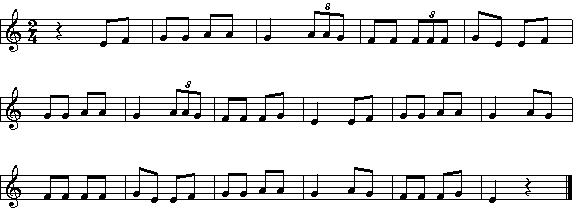
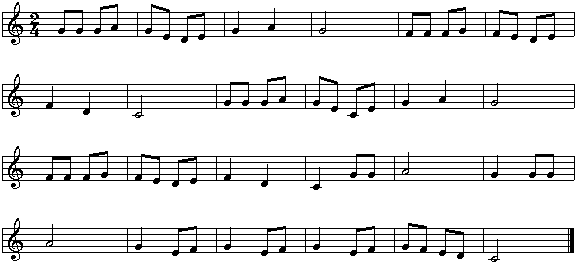
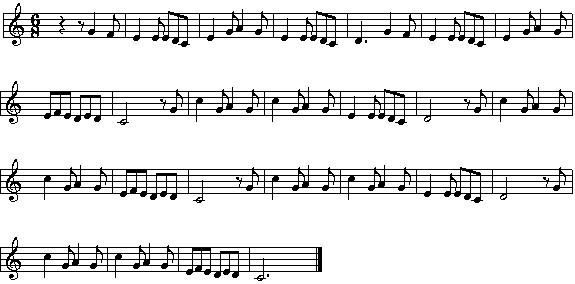
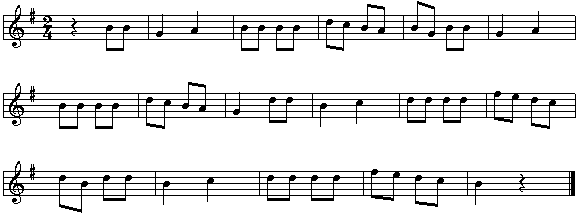
- Do the same with the following files: DOSYDOS, GAYGORDO, OHCHEBEL, PENTOZAL and SLAAP:
Dos y dos son cuatro (Spain)
The Gay Gordons (United Kingdom)
Oh che bel castelo (Italy)
Pentozalis dance (Greece)
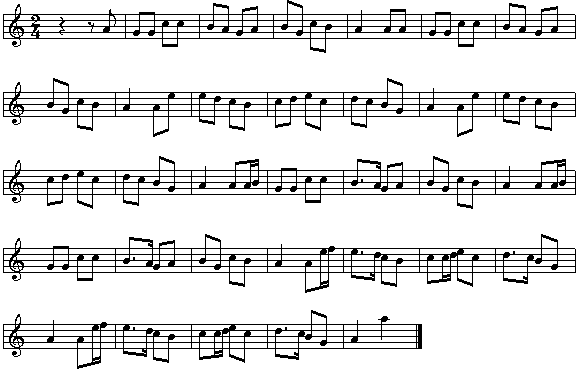
Slapp, Kindje, slapp (The Netherlands)
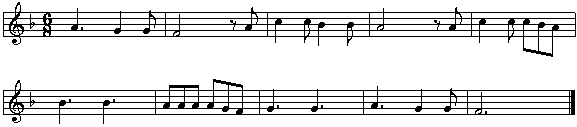
- Retrieve the melody FREREJAC from 10ALTERA and raise the pitch of all the notes by a 2nd. What happens?
Does it sound alright?
Frère Jacques
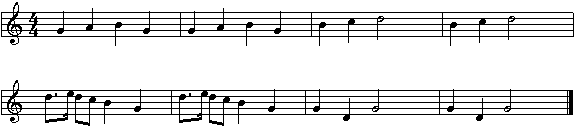
Place a sharp sign (#) where you think it should go to make the tune sound alright, and check that the difference of tones between the original melody and your own is of one tone.
|
|
|
Using the program "Music": sharp sign # key S.
|
Starting with the original melody again lower all the notes by a 2nd interval and then place a flat sign (b) where you think necessary. Check to see that the tone difference between the original melody and your own is of one tone.
|
|
|
Músic : flat b key B
|
Deactivate the bar line option. Write the scale of C and force a bar ending, which we will use as a visual separator Then write the scale beginning with G (interval of a 5th) and listen to them. Add sharps where necessary to make it sound the same as the scale of C only higher. To listen to just one scale place the cursor at the beginning of the scale so that it plays from that point onwards.
|
|
|
Using the program "Music": To deactivate the bar lines press 0 (zero). To force a bar ending press F. To listen to just one scale at a time place the cursor at the beginning and press F4.
|
Force another bar ending and begin the scale with F. Add a flat so that it sounds the same as the others (in relation to the size of intervals). Repeat the exercise with D, adding sharps.
|
|
|
Using the program "Music": to force the bar ending press F again.
|
- Retrieve the piece 9SIMFBET and having listened to it, change the key signature to C minor and see what has happened to the notes. What interval has the melody risen or fallen by and how many alterations are there?
|
|
|
Using the program "Music": change the key signature with key A.
|
- Load the piece PATUM from 10ALTERA. Listen to it. Put it in the key of F and listen again.
|
|
|
Using the program "Music": change key with K.
|
Do the same with the following pieces in 10ALTERA: MINUET2 and BELLSULL.
- Search amongst the files for three songs written in the key of F (usually in voice 3, the accompaniment). Listen to these third voices silencing the other two.
|
|
|
Using the program "Music": silence the voices by selecting MUT voice.
|
- Retrieve the piece CANTPLUJ from 10ALTERA. Look at it on the screen; listen to it on its own, then change to the key of G. What changes do you see?
|

 Description of the activity